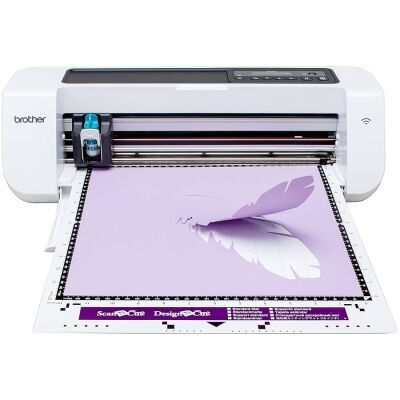
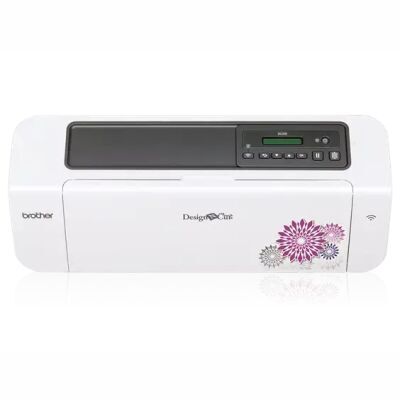
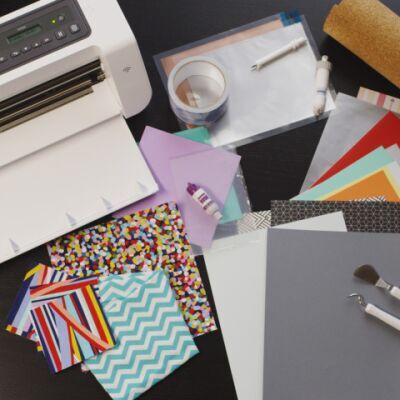
If you are looking for an affordable Home Electronic Cutting Machine that is a "cut above the rest," then DesignNCut is what you've been waiting for. The DesignNCut machine can cut simple to intricate designs, and a wide variety of materials: paper, fabric, felt, foam, vinyl, iron-on, leather, plastic & poster board. DesignNCut is all you need in one machine: Wireless Network Ready, PC Direct Connectivity & our line of optional accessories can help you deep cut, draw, line emboss, foil or create rhinestone templates.
Use your mobile device or computer to access CanvasWorkspace for hundreds of ready to use clip arts, fonts, logo, and projects, with step by step instructions and videos-No annual fee, no subscriptions required. With it's easy to use interface you can start and edit your projects with ease.
DesignNCut is the ultimate makers machine! With its array of functions, cutting-edge technology, and affordable price DesignNCut is a perfect tool for makers, students, designers, hobbyist, DIY enthusiasts or everyday crafting needs. There's no reason to wait, with DesignNCut you can create WOW in minutes.
Main Features
- Easy set-up: DesignNCut makes it easy as 1-2-3 to create your projects.
- Design on the Go: Wireless Network Ready, you can use your mobile device to create and edit your project on ScanNCut Canvas, and to take a picture of an image that you would like to use as your cut file.
- Cut Like a Pro in Minutes: Best cut quality and accuracy. Approximately 1,260 of cutting force (grams force) maximum cutting speed up to 112 MM/s
- Personalize It: Create personalized projects and gifts
- Create Mixed Media Projects: Can cut simple to intricate designs, and a wide variety of materials: vinyl, paper, fabric, crafts foam and so much more.
- SVG Compatible: SVG file conversion capability lets you use your existing cut files or create your cut file using your favorite design software.
CUT
WRITE/DRAW
DesignNCut is about personalization and making your projects easy to create yet unique and special. With our optional Universal Pen Holder (CAUNIPHL1) or Pen Holder (CAPENHL1), you can start personalizing your handwritten messages and start drawing your files. Besides, you can also use this feature to create seam allowance that can help you with your sewing projects.
LINE EMBOSS/DEBOSS
Paper or metal embossing or debossing has never been easier. With the DesignNCut optional line of embossing accessories, you can start creating high-quality embossing/debossing projects. With this optional line of accessories, you can create your mixed media projects in minutes.
PERFORATE
The possibilities of creating projects with DesignNCut is virtually endless. Your blade doesn't just cut, but it also perforates. Using our German carbide blade, you can start creating cards, boxes, envelopes, 3D projects, give aways, and other DIY projects
HELP SAVE MONEY AND TIME
With our simple and easy to use FREE cloud based software you can access hundreds of FREE logos, clip arts, borders, and projects with step by step instructions and videos.
In addition to our FREE logos, clip arts, borders, and projects our editing software has .SVG file conversion capability which lets you use your existing cut files or create your cut file using your favorite design software.
CAPTUREMAT FUNCTION
So you can simply use your preferred printer to print your labels, images, etc. and precisely cut it with DesignNCut.
DESIGN ON THE GO
When a creative idea strikes use your PC, tablet or smartphone, and start to design or edit whether at home, at work or out and about. Our easy to use cloud-based software editing software allows you to edit and create files at your convenience.
-Mobile App Requirement: DesignNCut Manager app is available on the App Store or Google Play.
-Desktop Software Requirement: DesignNCut Manager Software.
-Free Editing Sofware: CanvasWorkspace (no annual fee; no subscription required). CanvasWorkspace is oaded with FREE projects, and available optional features to help you create virtually limited personalized projects where you want, how you want and whether from your computer, your tablet or on your phone, design your way!
-Compatible with Windows, Mac, iPhone® , iPad® and Android devices.
Direct PC Connectivity
*Connection via USB Cable is available for Windows® only, additional purchase required.
Google Play and Google Play Logo are trademarks of Google Inc. iPhone and iPad are trademarks of Apple Inc., App Store is a service mark of Apple Inc., registered in the U.S. and other countries.
IN THE BOX
- DesignNCut Machine (Model DC200)
- Power Cord
- Standard Accessories Package:Standard Cut Blade Holder, Standard Cut Blade, Spatula, Standard Mat 12 in x 12 in (305 mm x 305 mm) with CaptureMat function, & Calibration Sheet
OPTIONAL LINE OF ACCESSORIES
*Additional purchase required.
TUTORIAL HOW TO VIDEOS
| Model # |
DC200
|
|
|---|---|---|
| Product Measurements |
19.5” x 7.0” x 5.7” (497 mm x 178 mm x 146 mm)
|
|
| Product Weight |
8.38 lbs
|
|
| Gross Weight |
11.2 lbs
|
|
| Country of Origin |
China
|
|
| System Requirements |
• Software is compatible with the following Operating Systems: • Windows®: Windows® 7, 8.1, 10 • Mac®: OS X 10.10 or later • iPhone®, iPad®: iOS 9 or later • Works with Android™ 5 or later • For latest supported Operating Systems, see Brother Solutions Center • Requires internet connection • Wireless access point is required for Mac and iOS (except Windows). |
|
| UL listing number for the “AC adapter” of DesignNCut. |
File no. :E232520 MODEL #:I.T.E Power Supply. AD-2448PH3 |
|
| Additional Information |
• Connection via USB cable is available for Windows®. Required USB Cable is not included, sold separately. • ScanNCutCanvas reads .svg files along with the proprietary cut file extension. Many of the cut files you may have already purchased can be used. • Install DesignNCut Manager before using this product. • Register on ScanNCutCanvas before using this product. • Accessories for deep cut, draw, line emboss & rhinestone templates are available and are sold separately. • Removable mylar. |
| Code | Product | Pack Size |
|---|